After you create a Run, build the lead source that the sequence will use. In Plera, leads come from discovery searches, imports, manual sources, or clues. For a first launch, discovery is usually the simplest path.

Create a lead source

  • Go to Leads -> Search.
  • Describe the people or companies you want to reach.
  • Preview the results and tighten the query if the fit is weak.
  • Choose a result limit and click Start Search.
  • Wait for discovery to finish, then enrich the leads you plan to use.
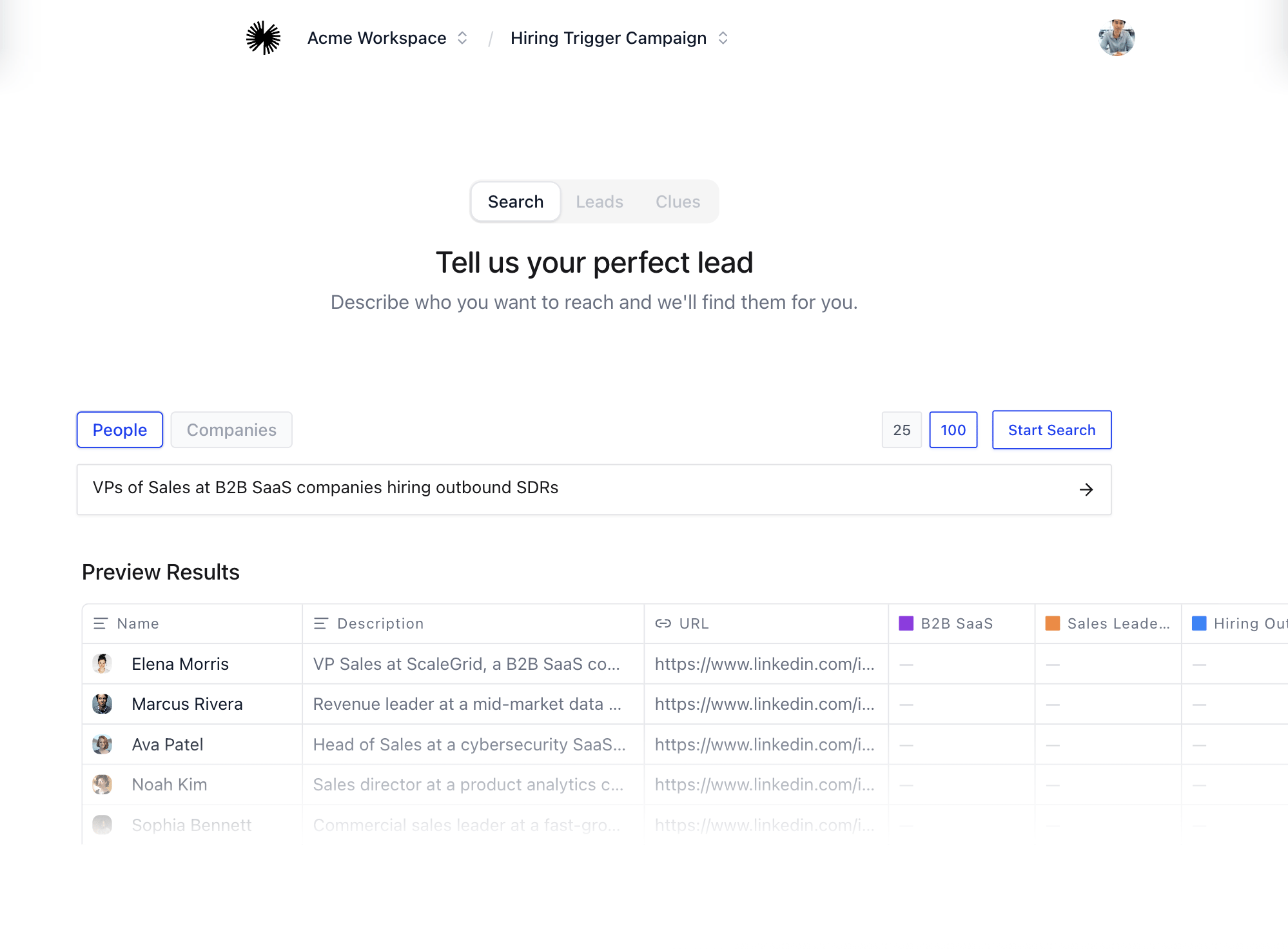
Lead discovery and enrichment

Before you continue

You are ready to create a sequence when the Run has at least one source group with eligible enriched leads.