> ## Documentation Index
> Fetch the complete documentation index at: https://plera.co/docs/llms.txt
> Use this file to discover all available pages before exploring further.
# Launch and measure
Launching starts the reviewed sequence for eligible leads. After launch, Plera schedules sends, stops follow-ups after replies, and surfaces issues that need attention.
## Launch
* Open the sequence in the Messaging Lab.
* Select the connected sending accounts required by the sequence.
* Confirm launch readiness is clear.
* Click **Launch sequence**.
 ## After launch, watch
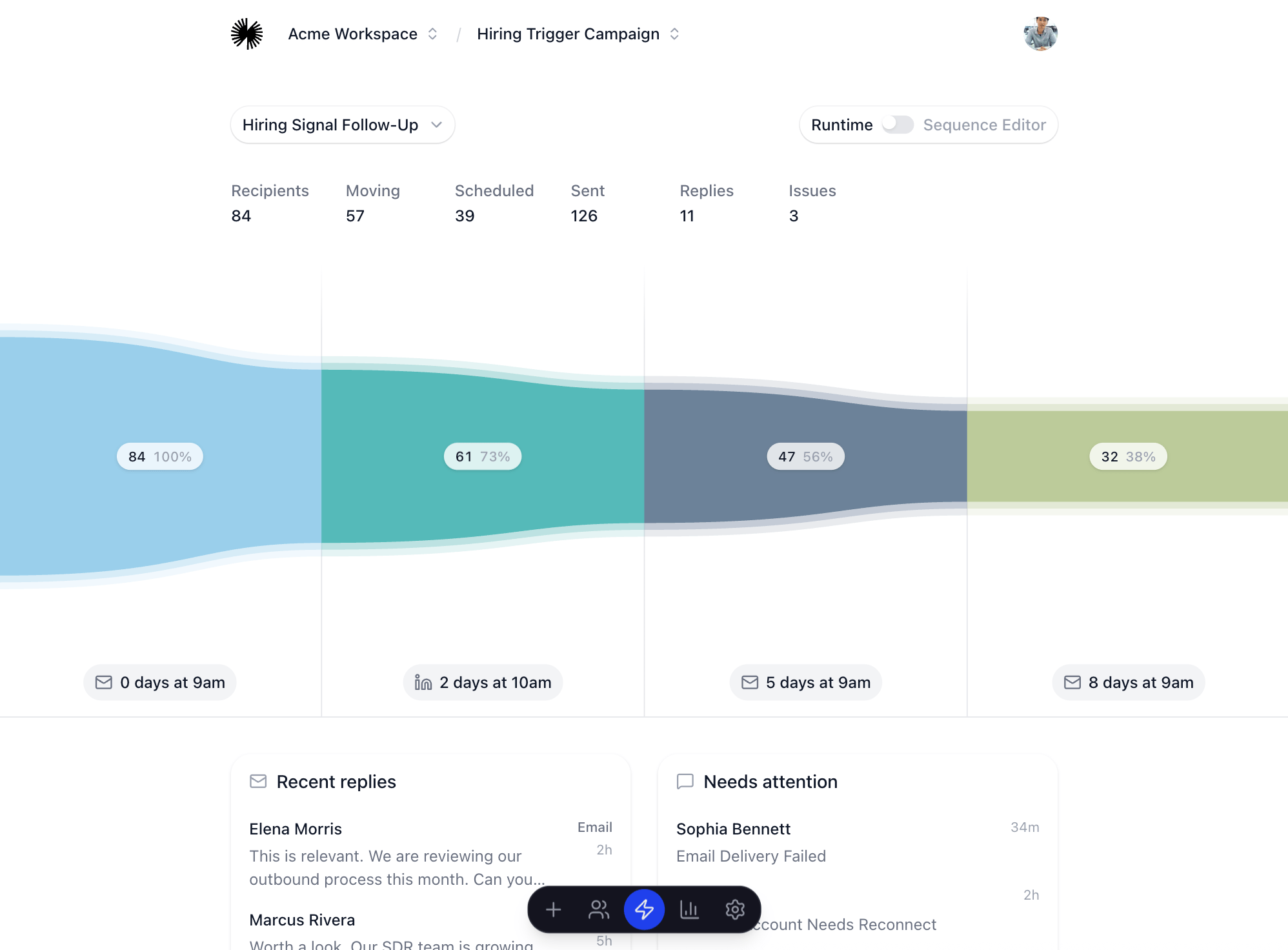
* **Replies**: new conversations and stopped follow-ups.
* **Issues**: failed sends, skipped leads, missing account access, or credit problems.
* **Sequence movement**: how many recipients are moving, scheduled, sent, or waiting.
* **Analytics**: reply rate, stuck stages, and patterns that should change before scaling.
Use the first launch to learn. If performance is weak, adjust the audience, lead source, strategy profile, or message review process before increasing volume.
## After launch, watch
* **Replies**: new conversations and stopped follow-ups.
* **Issues**: failed sends, skipped leads, missing account access, or credit problems.
* **Sequence movement**: how many recipients are moving, scheduled, sent, or waiting.
* **Analytics**: reply rate, stuck stages, and patterns that should change before scaling.
Use the first launch to learn. If performance is weak, adjust the audience, lead source, strategy profile, or message review process before increasing volume.